Download the signed .dmg from the SetupClaw downloads page above
/step · 2
Drag SetupClaw to your Applications folder
/step · 3
Launch the app — it will guide you through the rest
/step · 4
Your AI assistant is ready in minutes
A GUIDED TOUR
Seven surfaces. Zero command line.
Every page in SetupClaw is designed for a question you might ask on a Tuesday afternoon — not for someone memorising flag names. Here’s what you get the moment you open it.
I
Chapter I · The Command Center
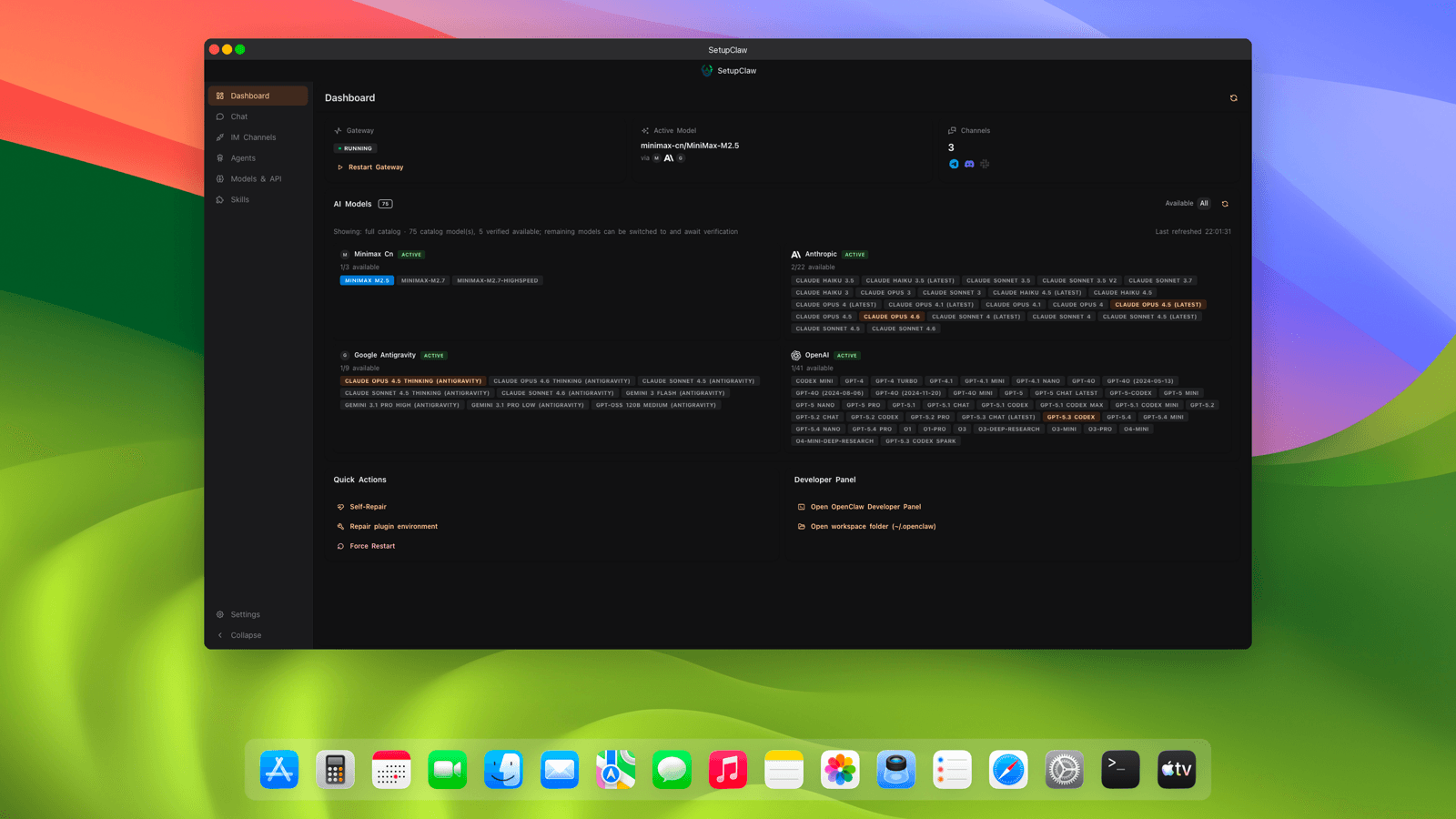
Dashboard
One page tells you if everything is working.
Gateway health at a glance. The model you’re currently talking to, pinned in plain text. A live count of connected IM channels. A catalog of every AI provider you’ve configured — Anthropic, OpenAI, Google, Minimax, plus any custom ones — each with a verified / needs-attention badge. And a quick-actions row with self-repair, plugin environment rebuild, and force restart for when something inevitably gets into a weird state.
Live gateway status with heartbeat tracking
Active model pin across every conversation
Provider catalog with per-model verification state
One-click self-repair + plugin environment reset
IIChapter II Every Conversation, One Inbox
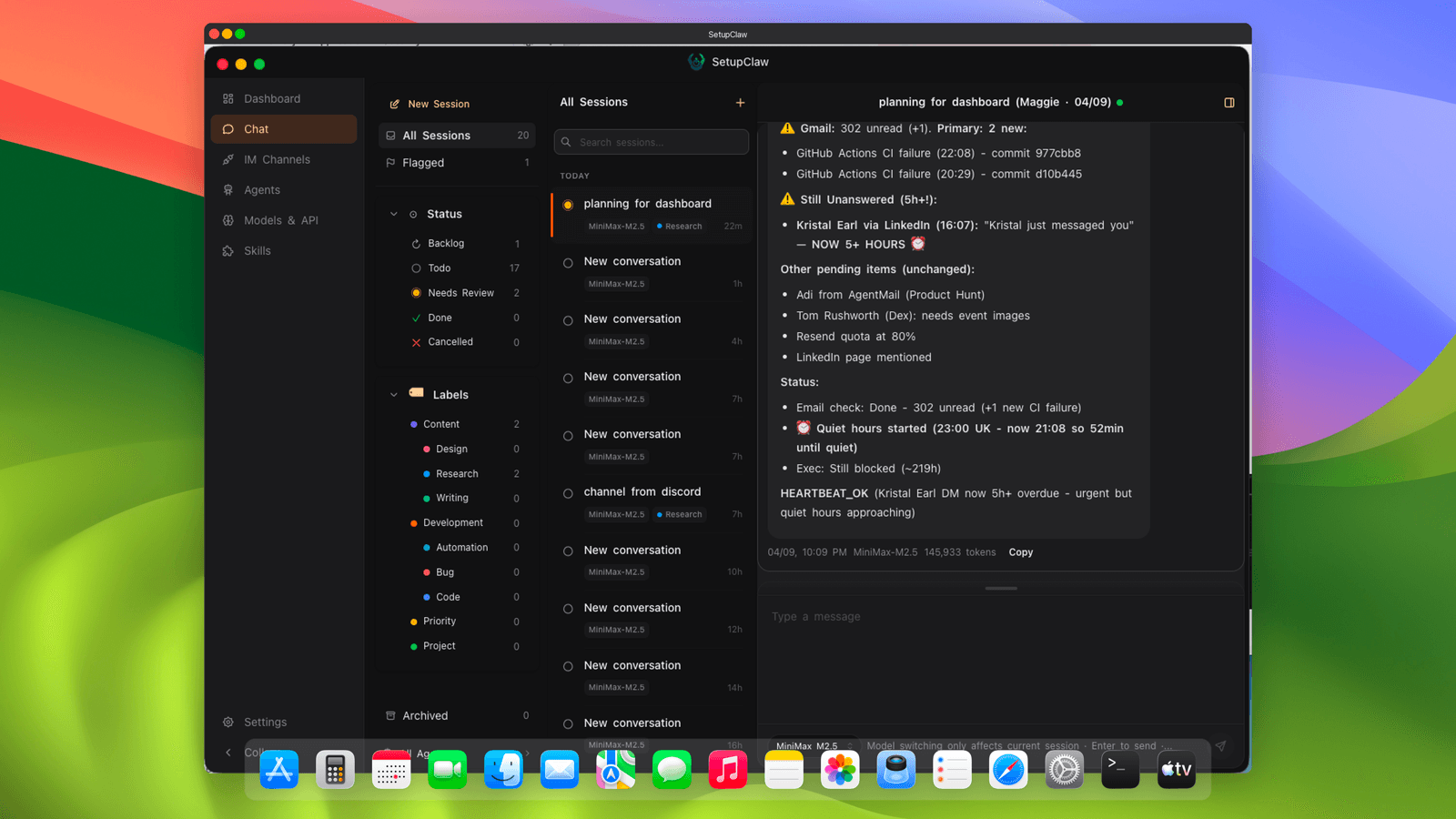
Chat
All your AI threads in one place — like a real messaging app.
Browse every chat session across every agent from a single sidebar. Filter by status (Backlog, Todo, Needs Review, Done, Cancelled), tag conversations with custom labels (Content, Design, Research, Writing, Development, Buy, Code, Priority, Project), flag the important ones, and jump straight into any thread with one click. Full-text search across every session. Archive when a conversation’s done and it disappears without deleting.
Unified session sidebar across all agents
Status pipeline: Backlog → Todo → Needs Review → Done
Custom labels and starred conversations
Full-text search and archive without deletion
IIIChapter III Nine Messengers. Zero Config Files.
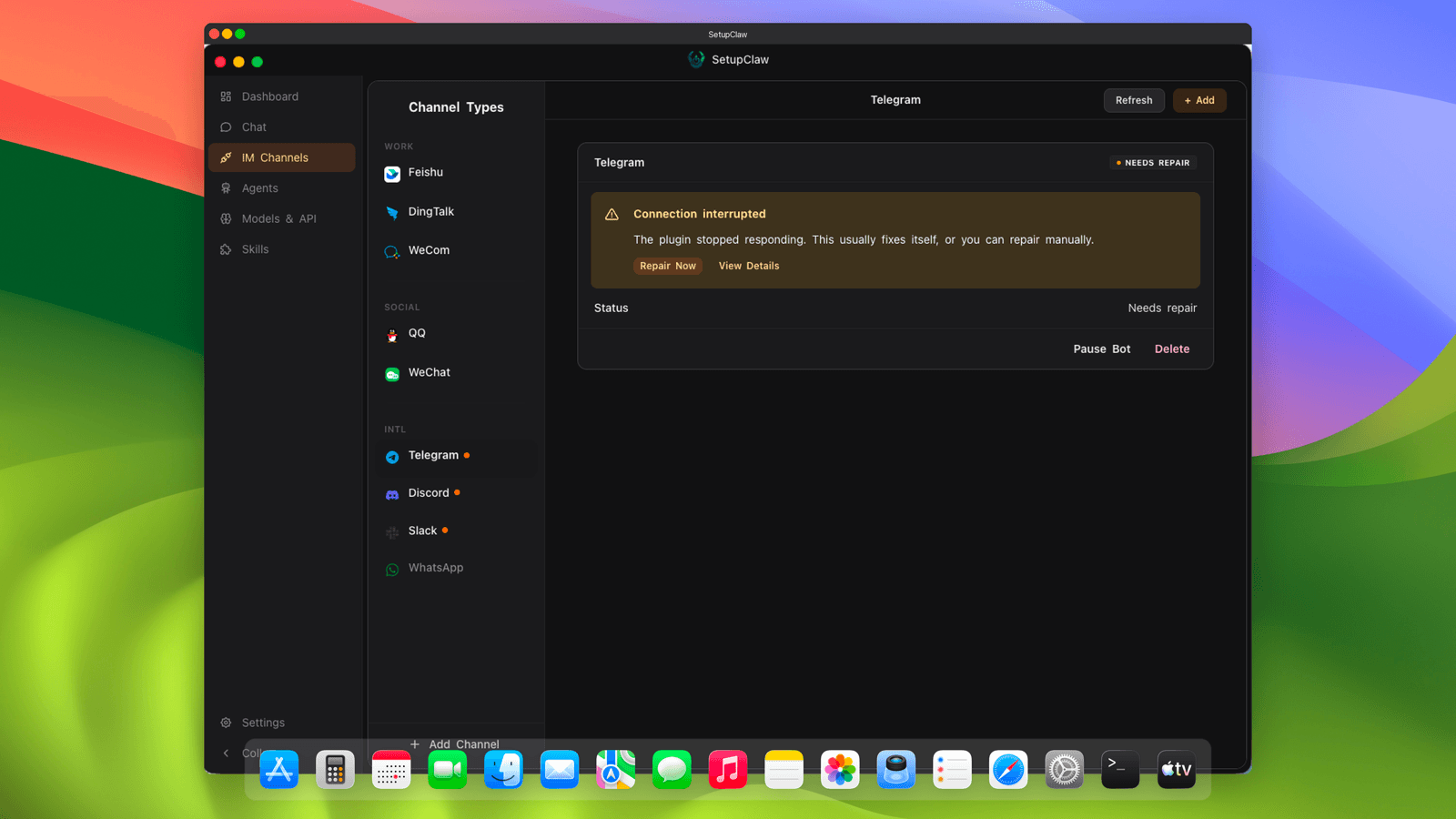
IM Channels
Connect your bot to Feishu, DingTalk, Telegram — any of nine platforms — with a guided wizard.
No plugin manifest editing. No credential JSON files. No CLI flags. Each of the nine supported platforms gets its own guided wizard with exactly the flow that platform supports: QR scan for Feishu and WeCom, guided credential form for DingTalk and QQ, installer-based setup for Personal WeChat, token paste for Telegram, OAuth2 redirect for Discord, API dashboard flow for Slack, and Meta Business API for WhatsApp. Every channel shows live runtime state on the dashboard with a one-click repair button when a plugin drops offline.
Feishu · DingTalk · WeChat Work · QQ · Personal WeChat
Telegram · Discord · Slack · WhatsApp
QR scan, form, token, and OAuth2 flows — one wizard per channel
Live runtime state with one-click plugin repair
IVChapter IV Agents That Actually Belong to You
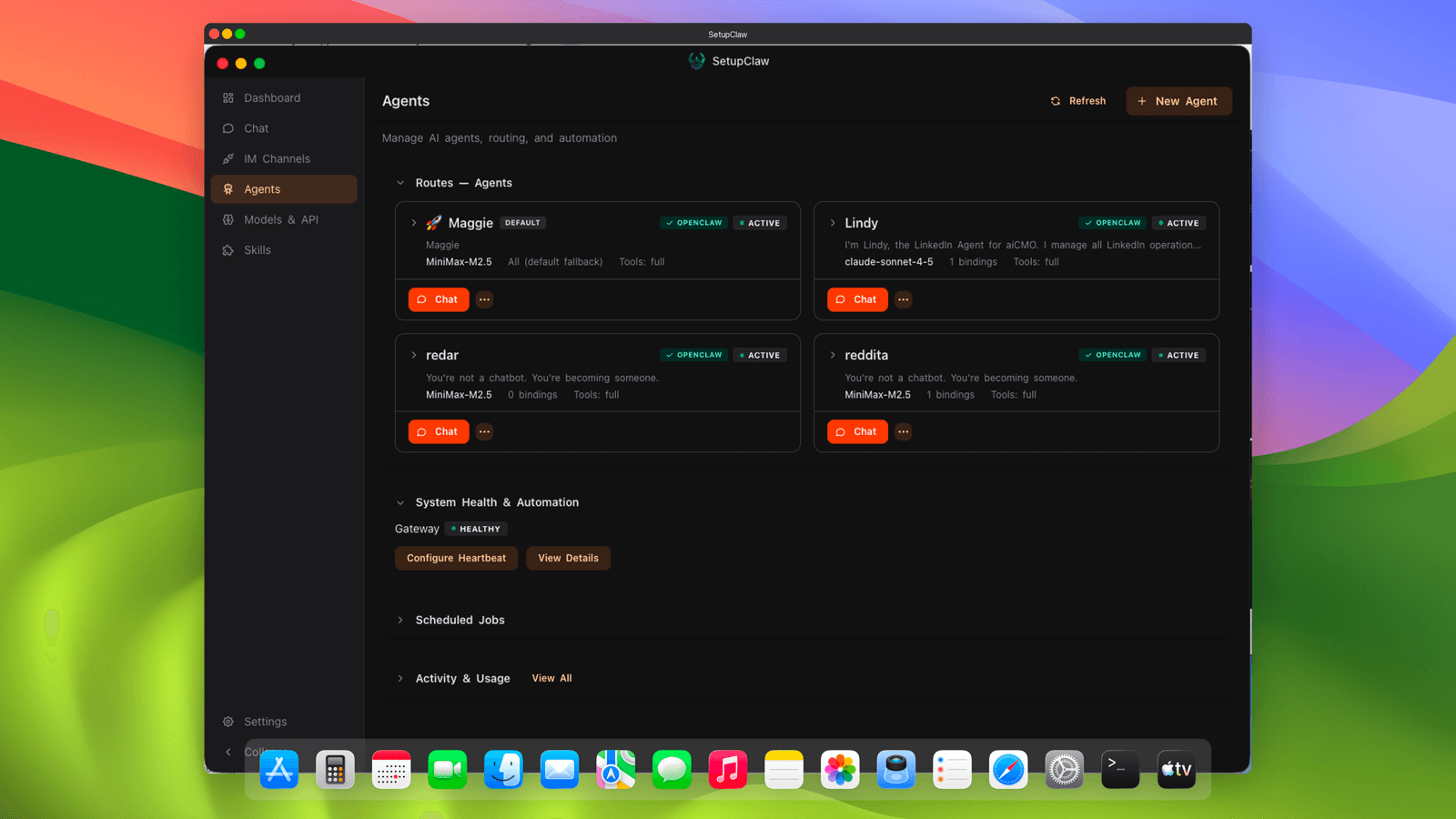
Agents
Full lifecycle management for every AI agent, with per-agent model, persona, and routing.
Create agents through a six-step wizard with four bundled templates (executive assistant, research analyst, creative partner, developer companion) — or bring your own. Each agent gets its own workspace with eight bootstrap files (AGENTS.md, SOUL.md, TOOLS.md, IDENTITY.md, USER.md, HEARTBEAT.md, MEMORY.md, BOOTSTRAP.md) you can edit directly in the app. Pin a specific model per agent. Define tool allow/deny policies so a customer-facing agent can’t touch your filesystem. Set multi-factor route bindings (peer, guild, team, account, channel) so messages land on the right agent automatically.
Six-step creation wizard with four bundled templates
Multi-factor route bindings with peer/guild/team/channel matching
VChapter V Every Model, One Place
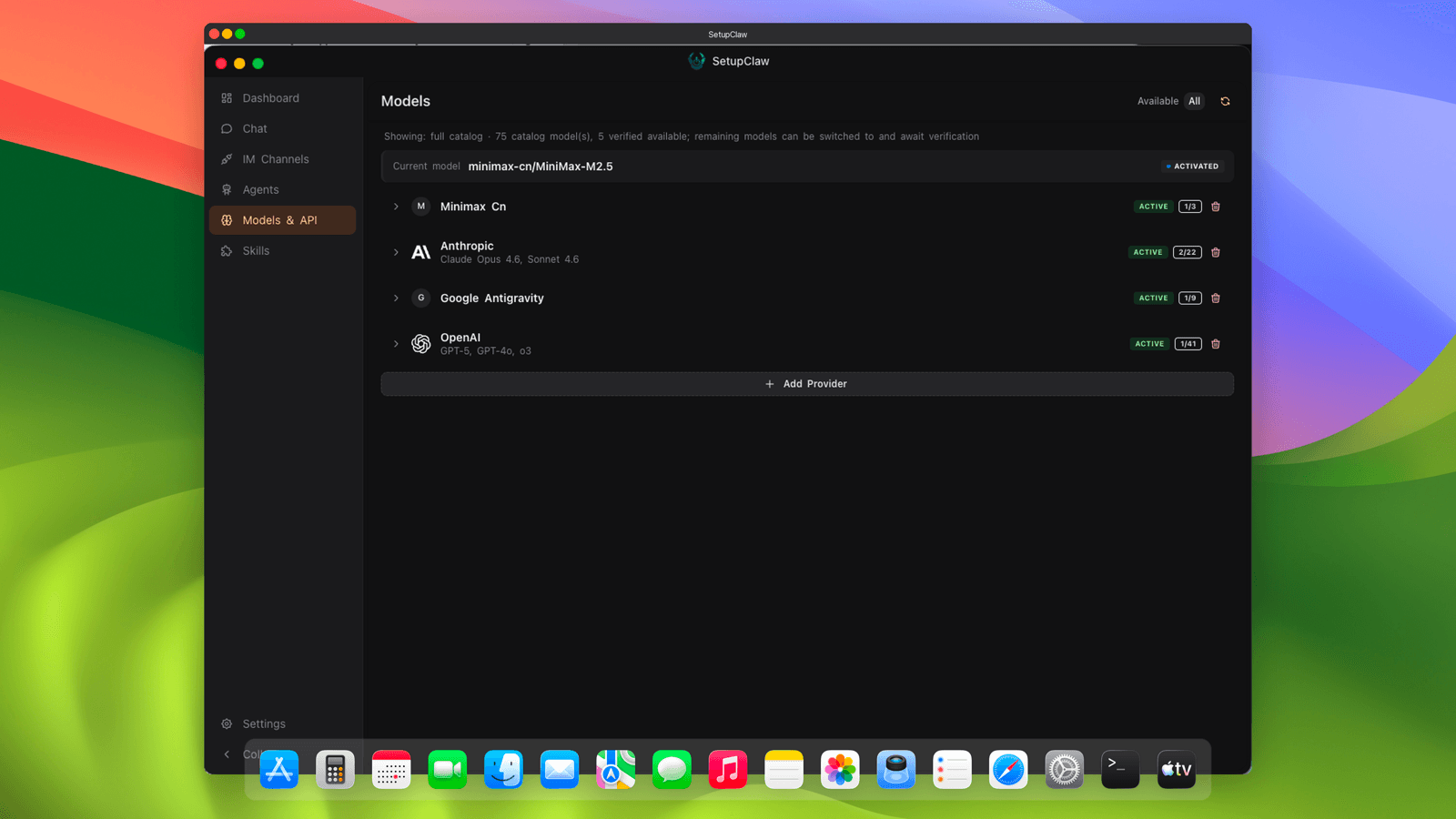
Models & API
Every model OpenClaw supports — OAuth, API keys, custom providers — managed in one screen.
Browse the full OpenClaw model catalog, verify API keys with live probe requests, add custom providers and models without editing a config file, and switch between provider variants (OpenAI Responses, OpenAI Chat, Anthropic Messages, Gemini, Ollama local) with one click. OAuth-supported providers like Claude and Google get a one-click authorization flow; API-key providers get guided paste + instant validation. Every model shows its verification state, context window size, and streaming capability at a glance.
Full OpenClaw provider catalog with live verification
One-click OAuth for Anthropic, Google, GitHub
Custom model addition without touching config files
Per-model context window and streaming capability display
VIChapter VI Extensions That Compose
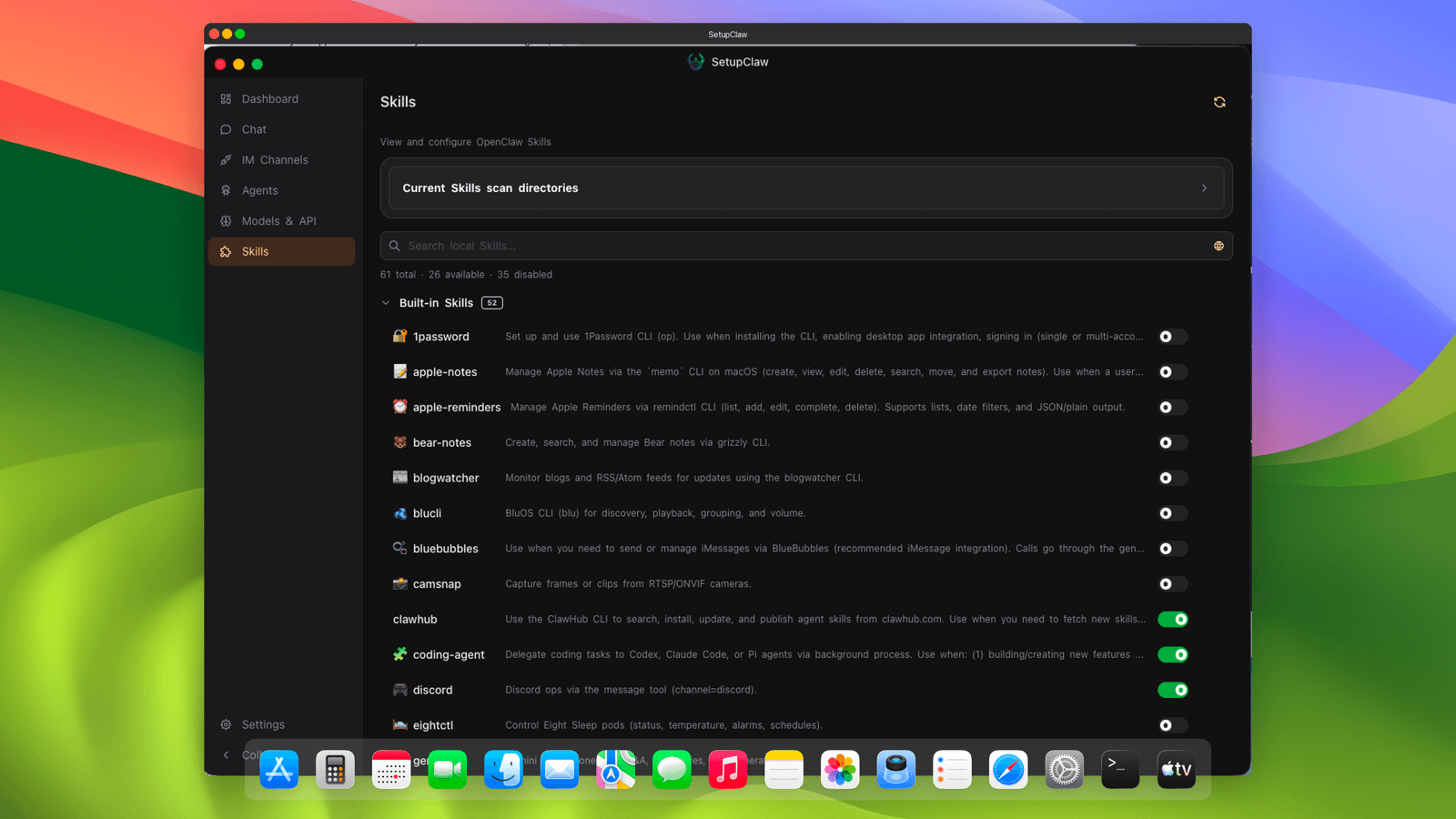
Skills
Claude Code plugins, MCP servers, and tool catalogs — installed per agent, updated with one click.
Manage skill extensions from the public OpenClaw registry, community Git repositories, and your own custom builds in the same place. Install, enable per agent, and update with one click. Each skill shows its description, version, source, and which agents currently use it. MCP servers get the same treatment — the skills UI and the tool system are the same surface, not two competing registries.
Install skills from official registry, Git, or local paths
Enable / disable per agent without touching config
MCP servers managed in the same UI as Claude Code skills
One-click update with version pinning and rollback
VIIChapter VII Control Without Config Files
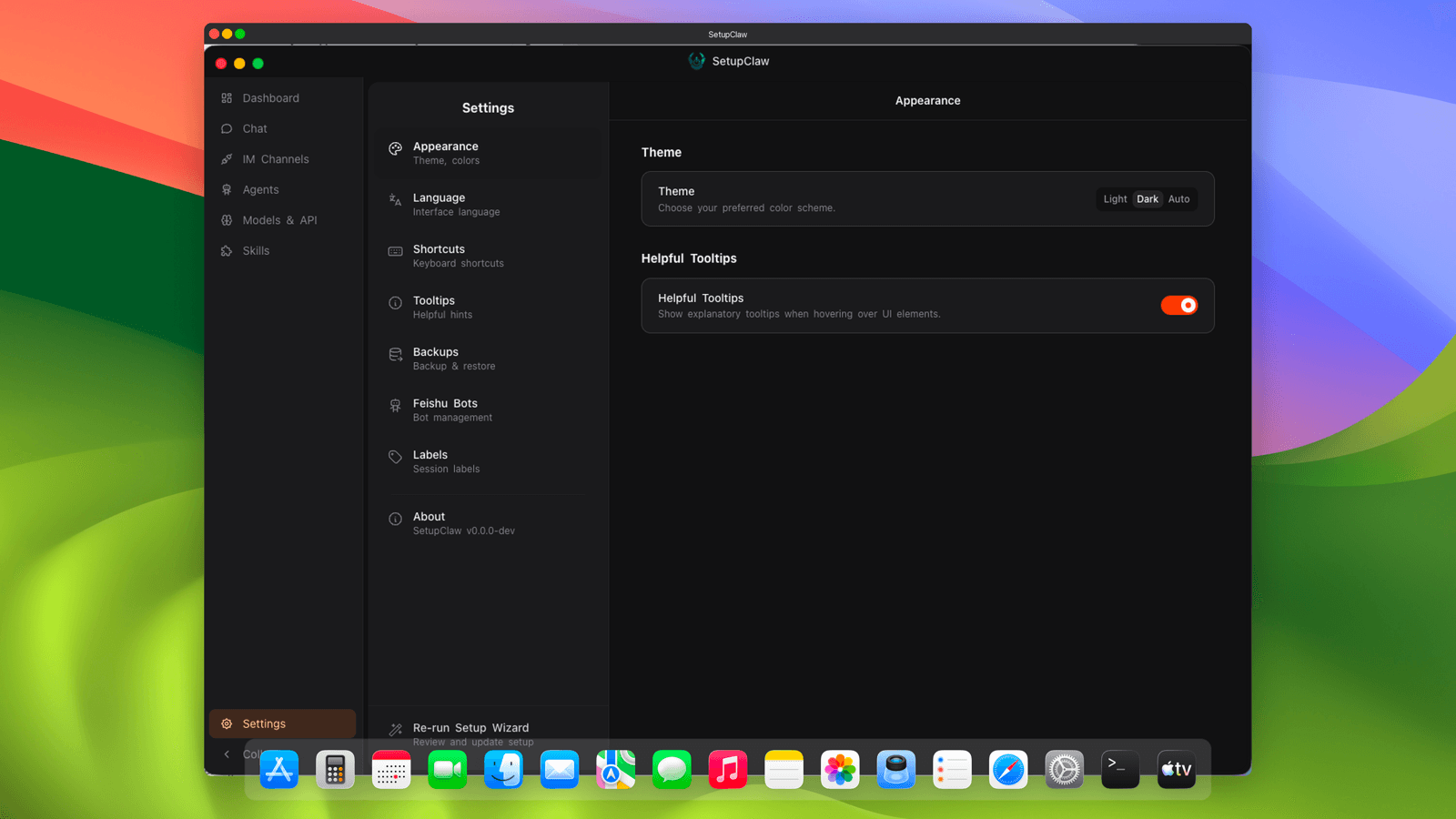
Settings
Language, theme, data backup, updates, and every advanced OpenClaw knob you might ever need.
Switch language between English and 中文. Toggle between light and dark themes. Configure manual and automatic data backup so a bad plugin can’t wipe your agent workspaces. Set auto-update preferences — including pinning to a specific OpenClaw version for stability. Dig into advanced settings to tune Gateway heartbeat intervals, override managed-install fingerprints, or re-run the setup wizard from scratch. Everything is a click, not an edit to a JSON file.
Bilingual UI — English and Simplified Chinese
Automatic + manual data backup with restore points
Version pinning with controlled auto-update
Advanced Gateway tuning without editing config files
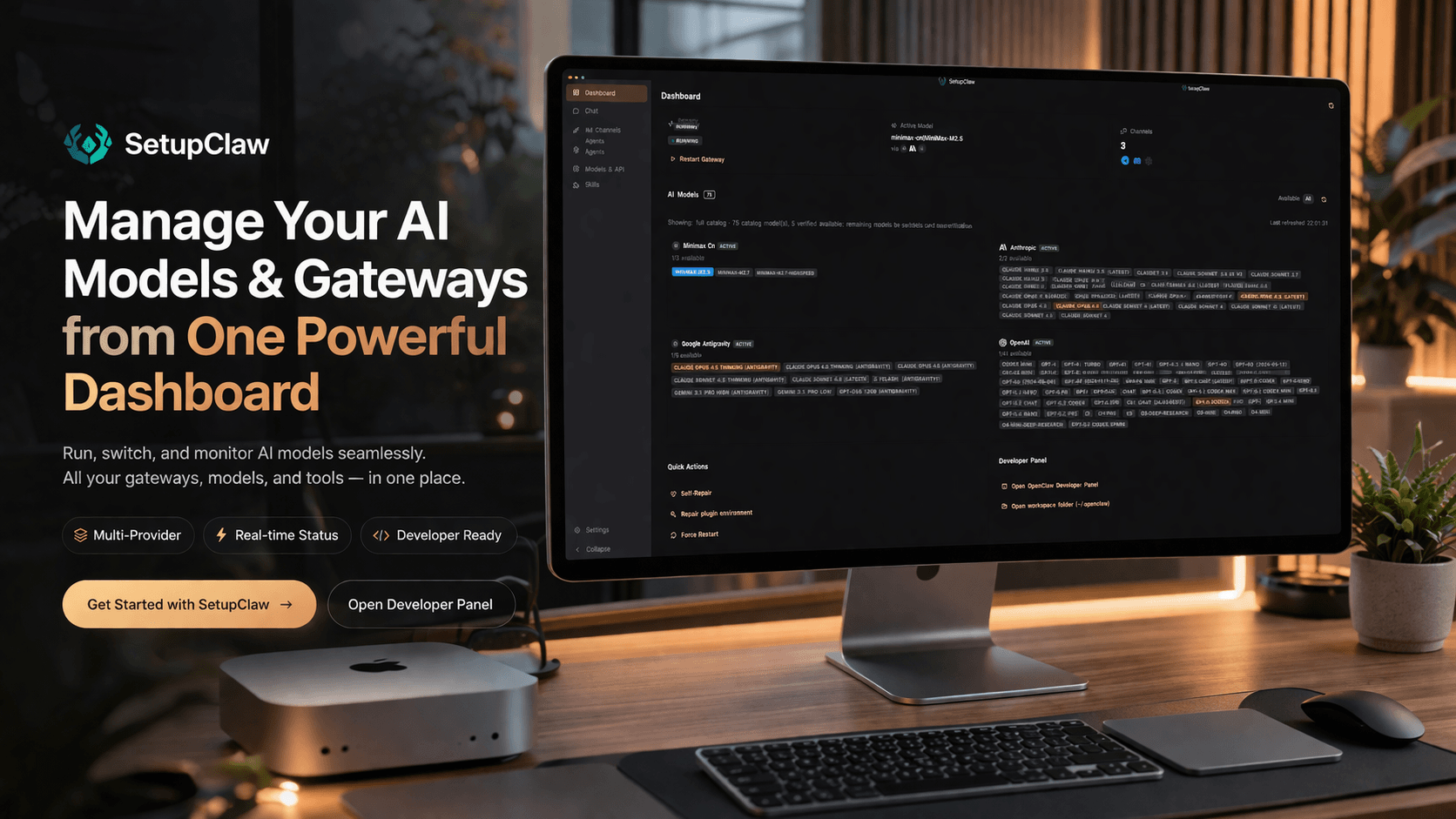
Everything you need to set up, manage, and monitor your OpenClaw AI assistant — all from a single desktop app.
/01
Guided Setup Wizard
Professional-grade setup wizard that walks you through every step — environment check, API keys, channel connections. No terminal required.
/02
Model Management
Configure and manage AI models with an intuitive dashboard. Add custom models with one click.
/03
IM Integrations
Connect your messaging platforms in minutes, not hours. QR-code pairing makes it effortless.
/04
Dashboard & Monitoring
Monitor your AI assistant's health and performance at a glance. One-click restart, automatic backups, and skill management.
/requirements
System Requirements
Everything you need to run SetupClaw APP on your machine.
/01
macOS
macOS 11 (Big Sur) or later · Intel & Apple Silicon
/02
Node.js
v22+ (v24 recommended) — app can auto-install
/03
Disk Space
~500 MB (app + OpenClaw + dependencies)
/04
Network
Internet required for setup and AI model access
/trust signals
Security & Trust
Built with transparency and privacy at the core. No surprises.
/01
Signed Binaries
Code-signed and Apple notarized on macOS
/02
Premium Support
Dedicated support included with your purchase
/03
No Telemetry
Zero tracking or data collection
/04
Local Data
Your data never leaves your machine
/next steps
Want us to handle everything? Our managed tiers start at £770.
SetupClaw APP gives you the tools. Our managed service gives you the team. We handle server provisioning, security hardening, and IM integration — so you don't have to.